
SmartChat
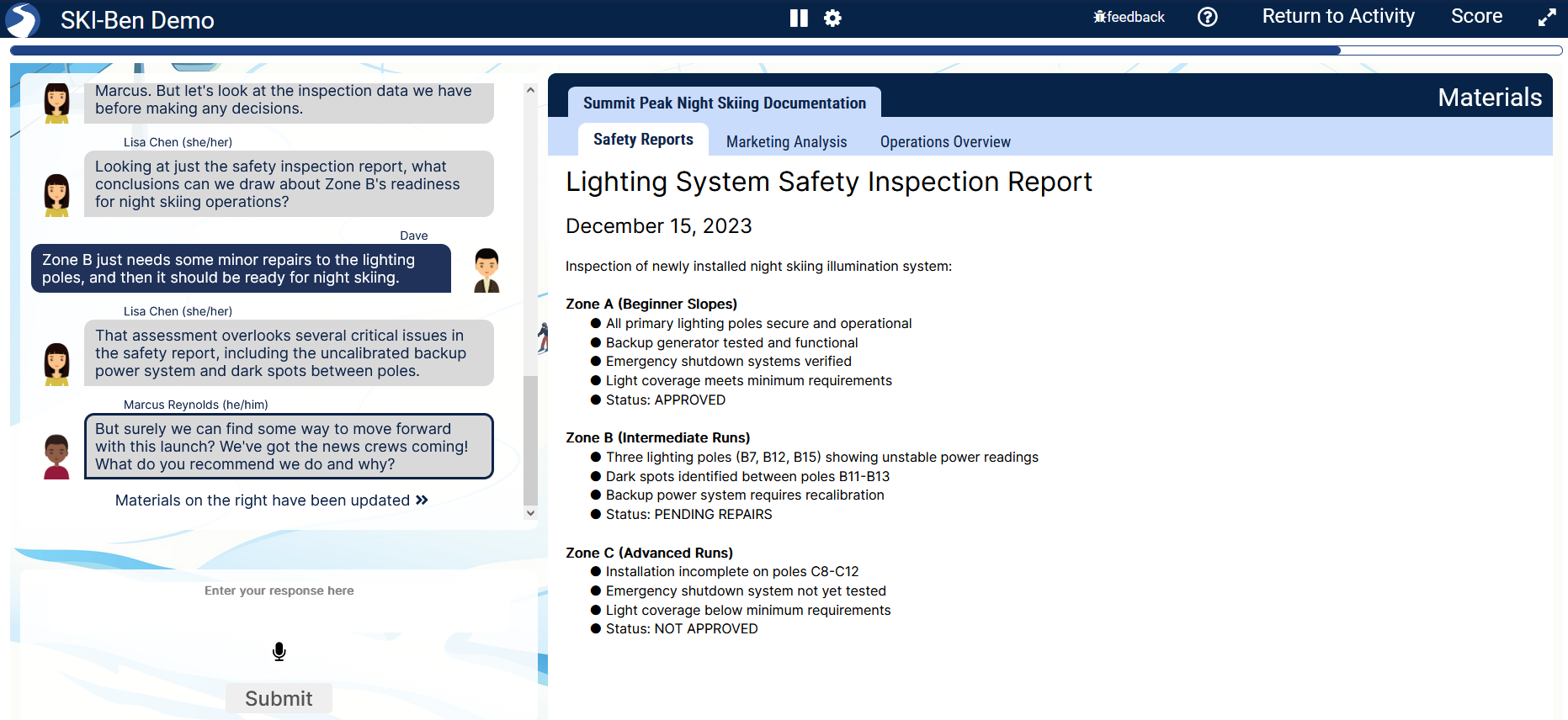
The SmartChat template helps you seamlessly create intuitive, impactful, and dynamic roleplay assessments. Our AI Production Assistant walks you through the process based on your directions (from learning objectives to lesson plans to case studies). You can make changes along the way or ask the Production Assistant to automatically generate them for you.
Scenarios can be built with branching narrative paths so that learners are challenged to use their skills in a relevant context. When learners choose or write a partially correct or incorrect answer, the activity will give them immediate feedback and let them see the repercussions of their actions. Materials composed of images, video, and audio can be presented to the student for analysis and to synthesize their own conclusions.
In addition to having all the traditional question types (multiple choice, select-all-that-apply, hot spots, etc.), SmartChat has a new open response and voice response question type, where learners can express answers in their own words. They receive a response from their virtual colleague, their response is graded (based on the learning objectives and rubric set by the author), and a rationale for the grading is provided (with the ability for the learner to challenge it).
By using variables with these question types, students can be tasked to manage different resource types (ex: money), or with randomization, they can have a different experience each time they play. SmartChat roleplay assessments can have score categories to assess students against multiple learning objectives that report their performance to your LMS.
Note: Like all of our other templates, SmartChat meets/exceeds all WCAG 2.2AA Accessibility requirements, is fully keyboard accessible, and works seamlessly on all mobile devices.
Note: Our goal is for SmartChat to be the most efficient way to build and embed short, yet impactful 10-30 minute roleplay simulations into any course area. By challenging students to actively use their skills to achieve learning objectives, SmartChat roleplay assessments are a proven solution for improving engagement, retention, and learning ROI.
Align
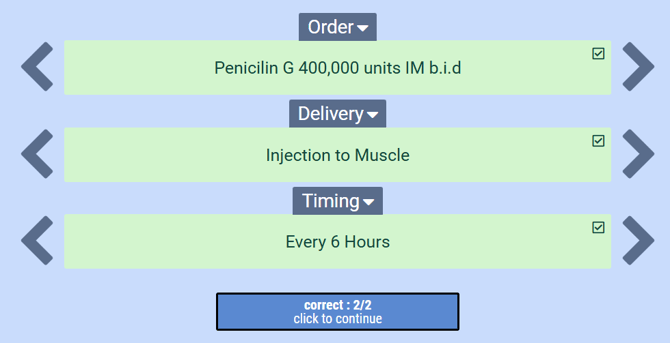
The Align template helps you create short, supporting matching activities where learners line up a set of items in different categories to create sets. As the items to be matched can be composed of text, images, animated images, mathematical formulas, or audio, Align activities can be placed in almost any course, helping learners reinforce their comprehension and practice for future assessments.
Align activities helps identify where learners are struggling by tracking their success, matching each category against the 'key' category. Students will receive personalized feedback on their results at the end of the activity. Instructors will also have access to the feedback and results, allowing them to navigate which topics their learners are struggling with. The Align editor is fast and intuitive to build with.
Tip: You can import .csv files to quickly create activities and increase difficulty by inserting distractors and multiple matches.
Tip: If desired, Align activities can begin by showing the correct matches before randomizing them to be matched by the learner.
SmartScene
The SmartScene template takes all of the power and versatility of the SmartChat template and puts the action into a rendered 3D environment. With a variety of different locations to choose from, including office, home, and outdoor settings, SmartScene activities are more immersive and conversational. The simplified user interface reduces cognitive overload to keep the student engaged with the action.
SmartScene scenarios can be simple or complex, with branching narrative paths, research materials for students to analyze, and resources for them to manage. Like SmartChat, building in the SmartScene editor is quick and intuitive, and is being used in subject areas ranging from marketing to cybersecurity.
Note: In the future, SmartScene may diverge more from SmartChat to allow learners to engage more deeply with the 3D environment, and partners may be able to develop and use their own custom 3D assets.